Split the bill as it actually happened.
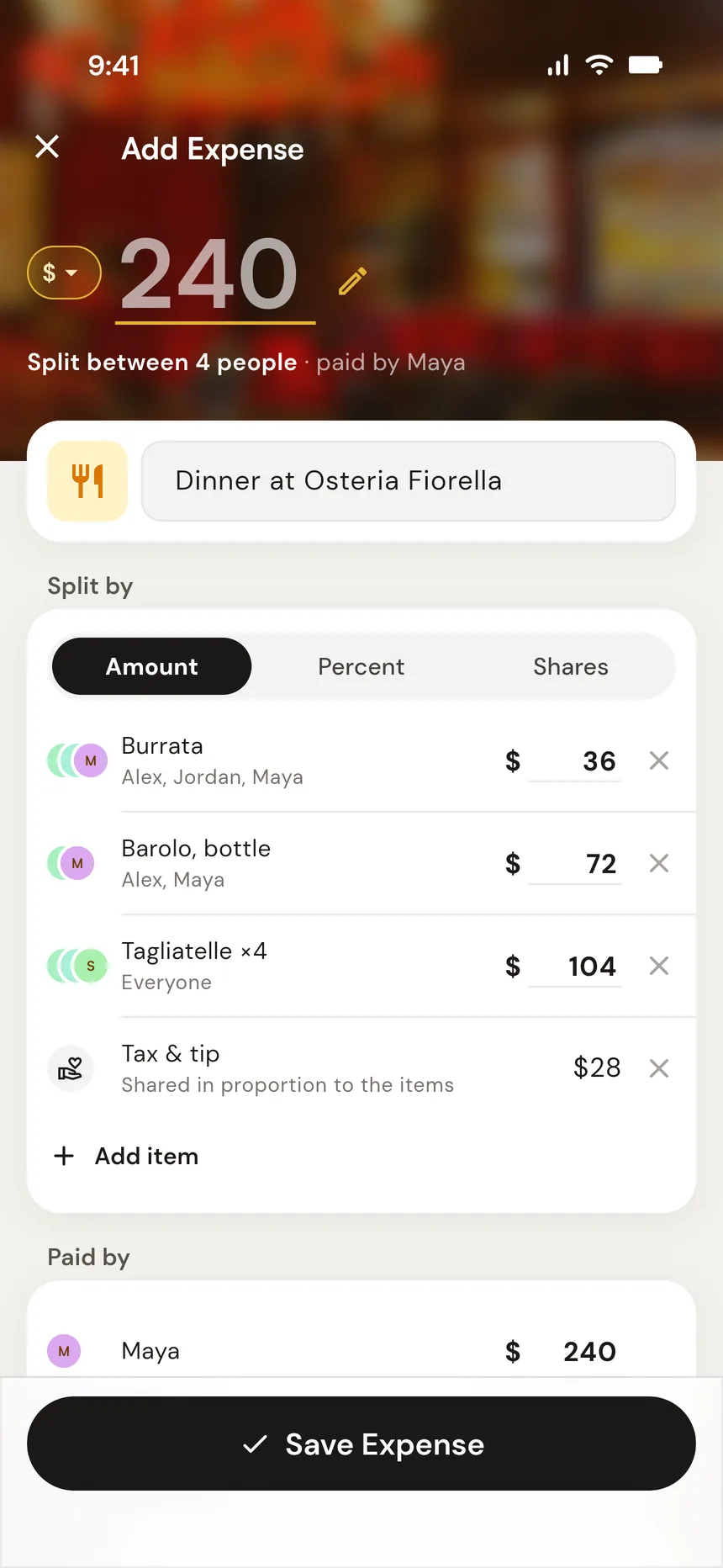
Appetizer for three. Wine for two. Scan the receipt and tap who had what, or type the prices in yourself. One expense, tax and tip included. No calculator.


Free on iPhone and Android, with 5 receipt scans to try. No account needed. Works offline.
You know this moment.
- Appetizer 3 of you
- 36.00
- Wine 2 of you
- 72.00
- Mains
- 104.00
- Tax & tip
- 28.00
- Total
- 240.00
36 ÷ 3 + 72 ÷ 2 + 132 ÷ 4 = 81.00
…now do Jordan's.
Your app wants one amount per person. Real bills don't work that way.
There's a way to skip all that.
- Appetizer Maya, Alex, Jordan
- 36.00
- Wine Maya, Alex
- 72.00
- Mains Everyone
- 104.00
- Tax & tip Everyone
- 28.00
- Total
- 240.00
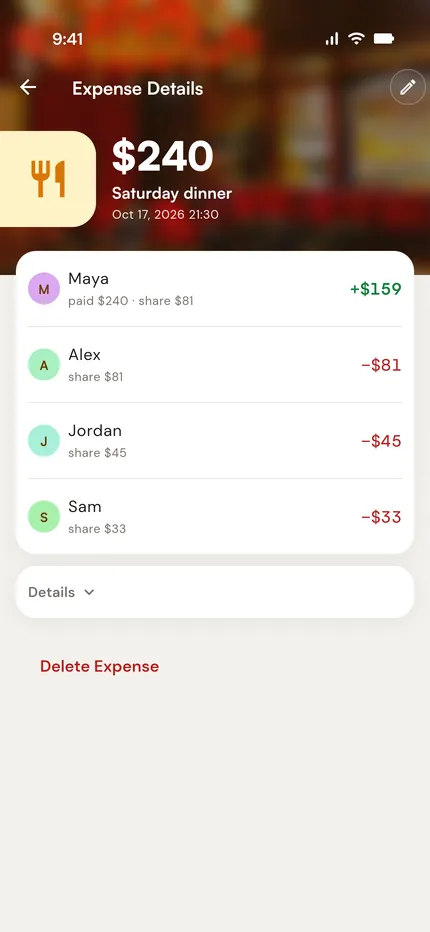
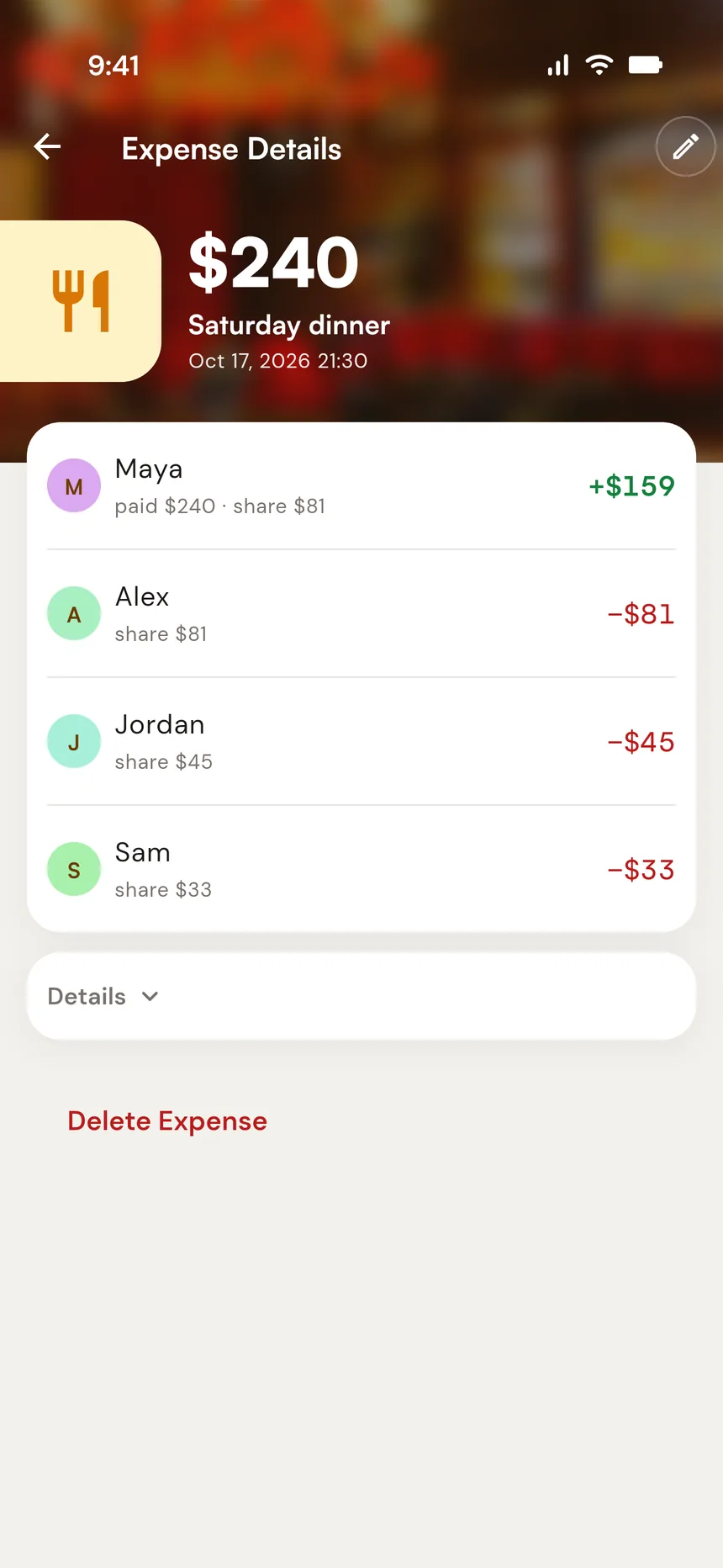
- Maya 81.00
- Alex 81.00
- Jordan 45.00
- Sam 33.00
- Appetizer for three: 12.00 each.
- Wine for two: 36.00 each.
- The rest split evenly, tax and tip included: 33.00 each.
- One expense, straight off the receipt. No calculator.
Side by side.
| In your current app |
 Splitsetter |
|---|---|
| Open the phone calculator | Scan the receipt, or type the prices |
| Work out each person's share by hand | Tap who shared each item |
| Type one hardcoded amount per person | The rest splits itself |
| Redo everything when someone remembers the dessert | Edit the item. Shares update. |
| Sit through the ad, or hit today's cap | |
| Wonder if you did the math right |
- One uneven bill
- Calculator, then four typed amounts
- A few taps
- Where
- Scattered across apps, days later
- One place, as it happens
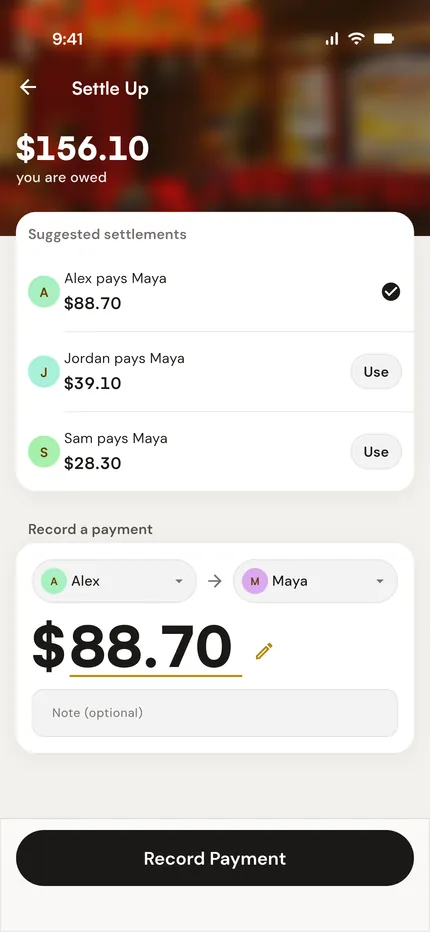
Four steps to settled.
-
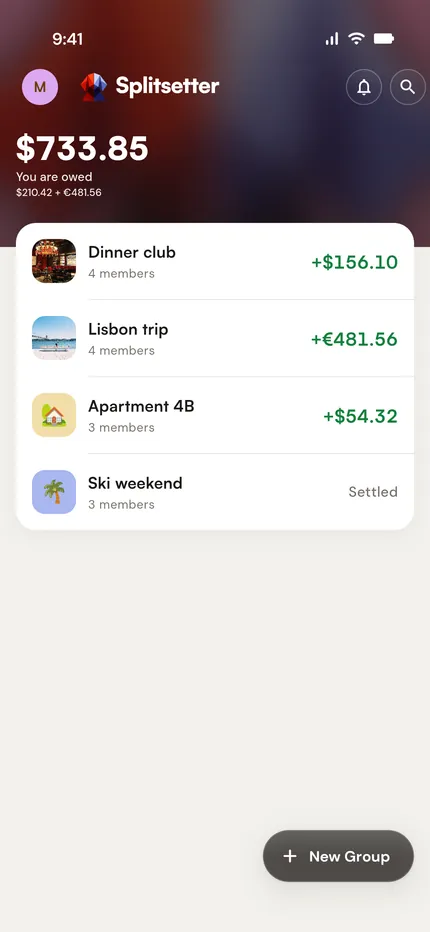
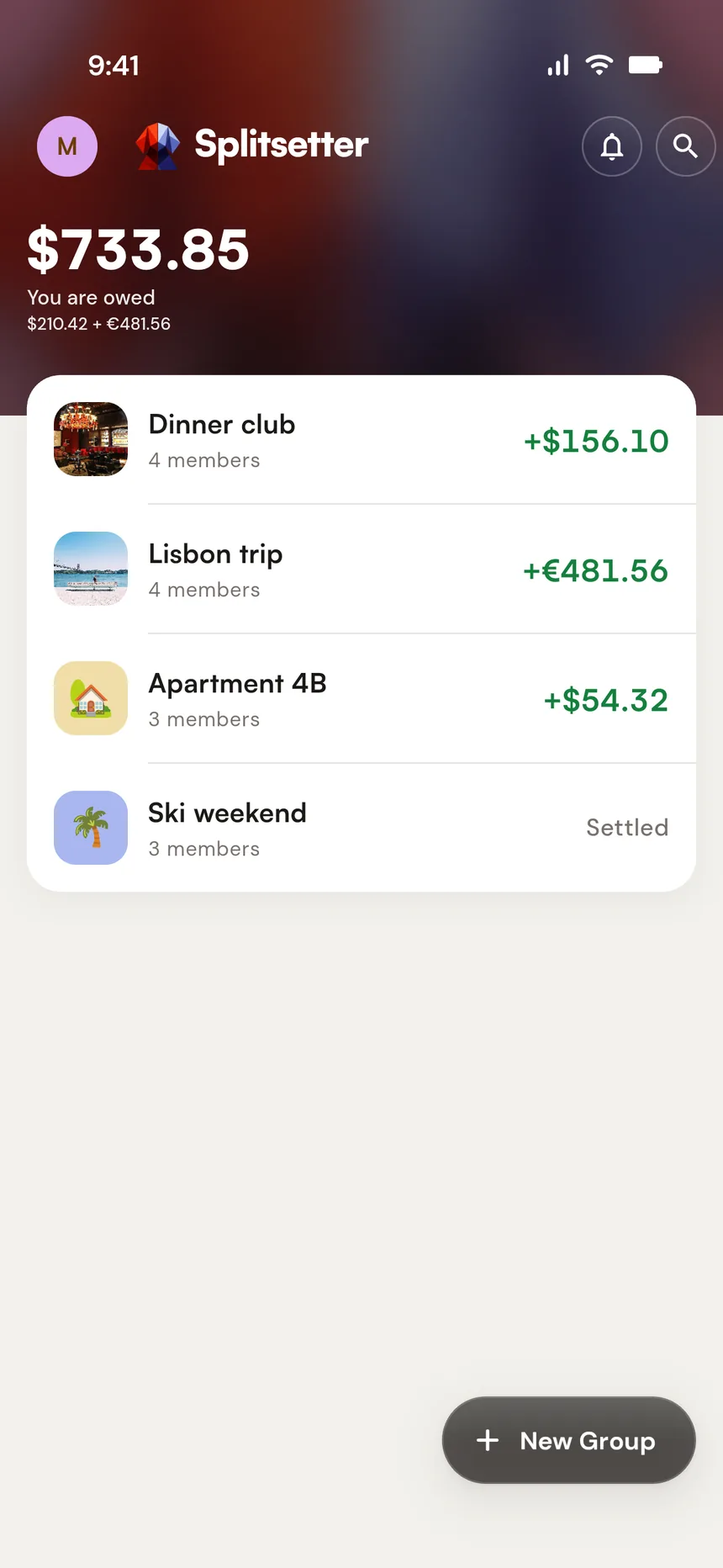
Create a group
Your road trip crew. Your housemates. Your dinner regulars. One group per shared context.
-
Enter the bill as it happened
Scan the receipt and every item arrives as a row: tap who had each one. Or type the prices in yourself, with a row for anything only some of you shared. Amounts, percentages, or shares. The rest splits evenly or proportionally.
-
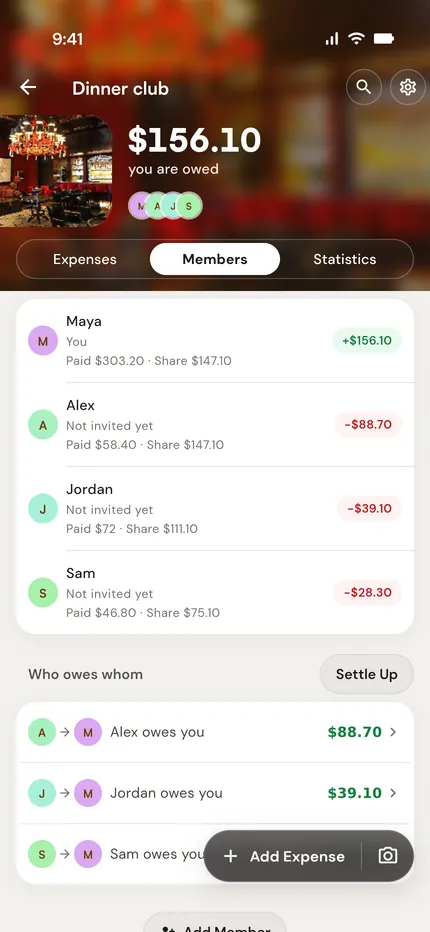
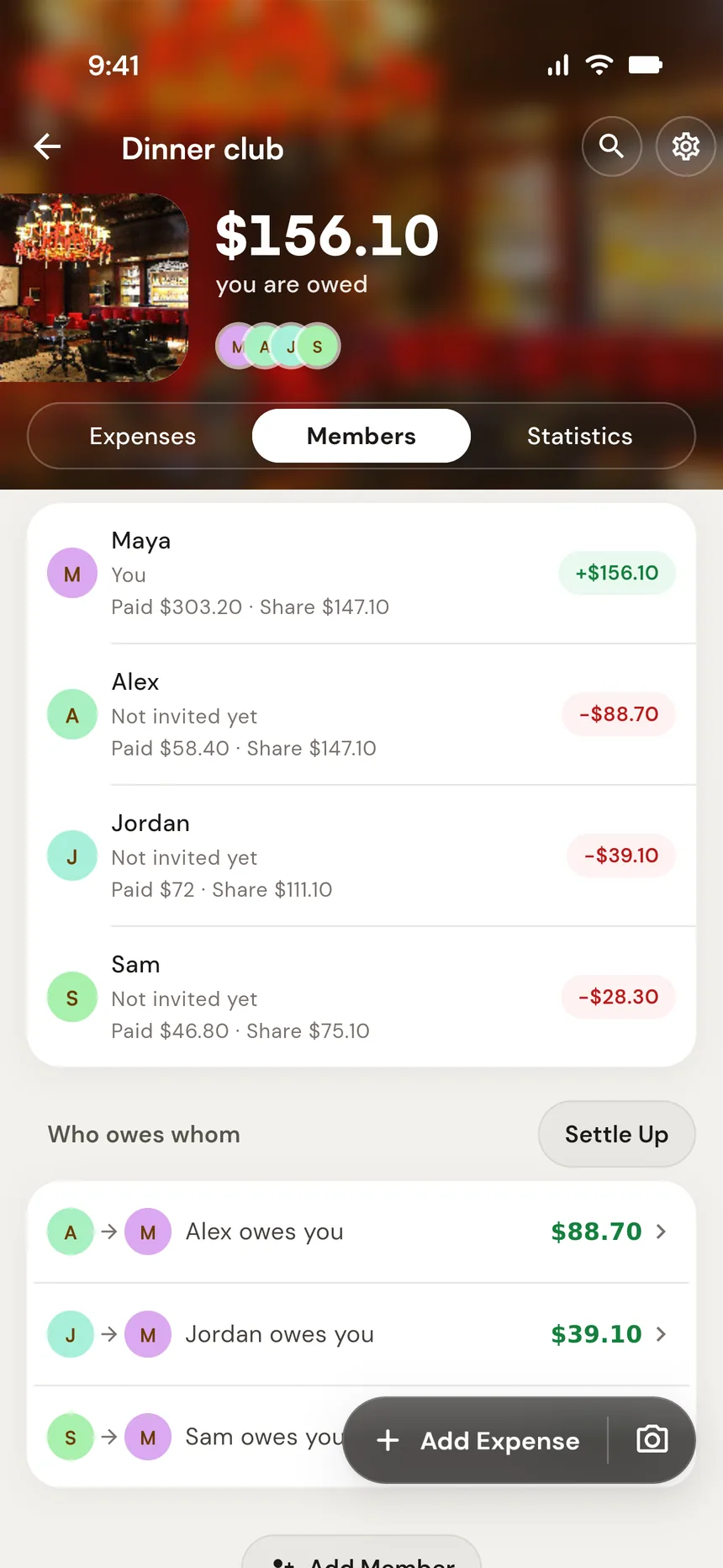
Balances update automatically
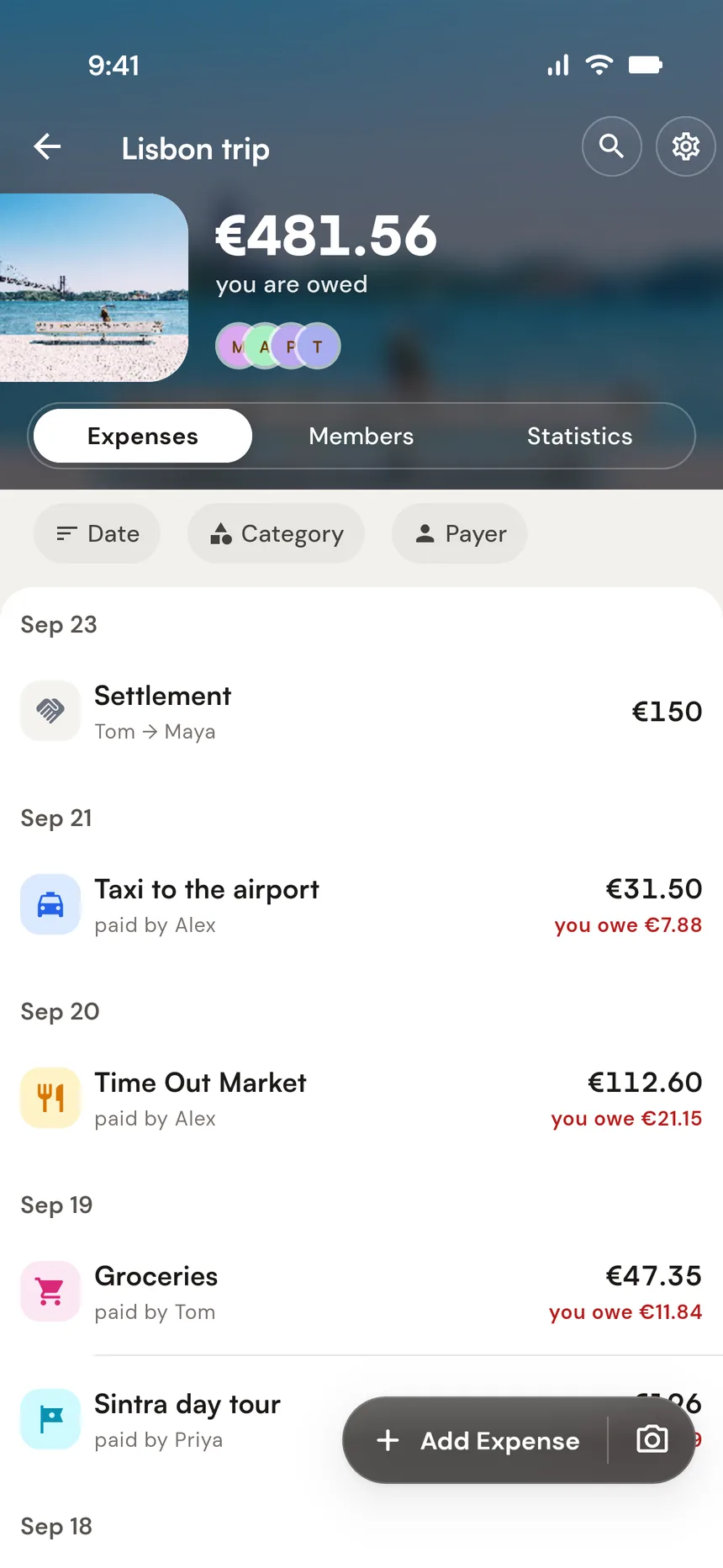
Splitsetter tracks who owes who across every expense. No manual math. No calculator on the side.
-
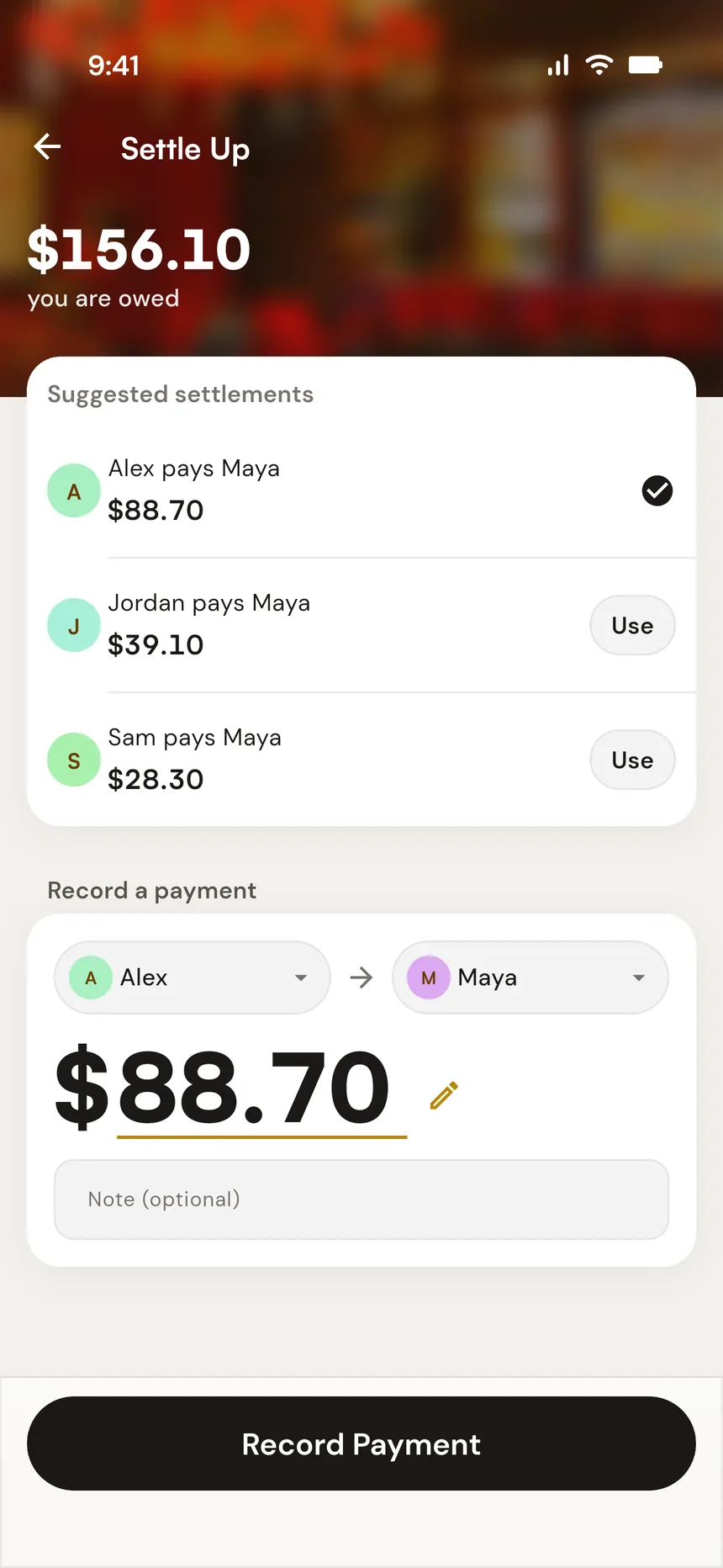
Settle up when you're ready
End of the trip. End of the month. Whenever works. Everyone sees exactly what they owe.
One group. Everyone's phone.
Invite your friends with a link. They join on their own phone and see every expense and balance as soon as it's added. Someone not on board yet? Add them by name and keep track for them until they are.
Anything else?
That's the point. One expense can hold multiple rows: the appetizer for three, the wine for two, each with its own people. Scan the receipt or type the prices in, and the rest splits evenly or proportionally. No calculator on the side.
Take a photo of the receipt, or pick a PDF or a screenshot. Splitsetter reads the items, the total, the date and the currency into a new expense, and you tap who had what. Look it over before you save: a scan can misread. Scanning needs a connection; a receipt you photograph offline is read once you're back online. You get 5 scans free to try, then scan packs from $1.99 in the app. The photo goes to Anthropic, which reads it for us and doesn't use it to train its models. The privacy policy has the details.
Yes. Export your group's expenses as a CSV from your current app and import the file into Splitsetter. Expenses, payments, and balances come along.
Proportionally. Itemize what people ordered and leave the rest on a proportional split: if your items were 30% of the bill, you pay 30% of the tax and tip. Prefer an even split for the extras? One tap.
Create a group for any shared context: a trip, an apartment, a dinner crew. Add expenses as they happen. Splitsetter keeps a running balance for everyone in the group.
No. Add friends by name and keep track for them. When they want to see their own balance, send them an invite and they join the group on their phone.
Yes. Enter each expense in the currency you paid in: the hotel in euros, the flight in dollars. Splitsetter converts it into the group's currency at the exchange rate when you add it, or at a rate you type in yourself, and keeps that rate with the expense. Your home screen adds all your groups up in the currency you choose.
Splitsetter calculates the simplest way to settle all balances in your group. When your group is ready, everyone sees exactly what they owe and to whom.
No. Open the app and start: no signup, no email, no login wall. Add your email later to use the same groups, and any scans you bought, on another phone.
Dinner should end at the restaurant. The trip should end at the airport.
Split the bill as it actually happened. Settle up whenever.

Free on iPhone and Android, with 5 receipt scans to try. No account needed. Works offline.
Rather stay in the browser? Use the web app.